
Co-Managed IT Services in Sacramento: When to Augment Your Internal Team
Sacramento businesses often reach a point where the technology stack grows faster than the IT department. Tickets pile up, projects slip, and security work gets squeezed between printer issues and onboarding requests. That’s not a failure of your team. It’s usually a sign that the organization has matured, while staffing and specialist coverage stayed flat.
Co-managed IT is a practical middle ground. You keep your internal team and your decision-making, then add a local partner to cover gaps in capacity, security, and specialized engineering so the business can move without burning out the people you already rely on.
What co-managed IT means (and what it does not)
Co-managed IT services combine your in-house IT function with an external managed services provider (MSP). The dividing line is defined up front: who owns which systems, who handles which tickets, how escalations work, and what “done” looks like.
It is not “outsourcing IT.” Your IT staff remains the primary driver of priorities, budgeting, standards, and internal relationships. The MSP becomes an extension of the team for agreed responsibilities, with tools and processes that make the partnership predictable.
A well-run co-managed model also avoids the common fear that an MSP will take control away from internal IT. In practice, internal IT typically gains breathing room and better visibility through shared documentation, monitoring, reporting, and incident runbooks.
Sacramento-specific pressure points that push teams past capacity
The Sacramento region has a mix of industries that create real-world IT strain: public sector requirements, healthcare compliance, financial uptime expectations, and fast-growing professional services firms. Add remote work, multiple sites across Sacramento and Elk Grove, and cloud adoption, and even strong internal teams can end up in constant triage.
When co-managed makes sense is usually visible in day-to-day operations.
Here are patterns that show up repeatedly:
| Internal IT signal you can measure | What it tends to look like | What co-managed support changes |
|---|---|---|
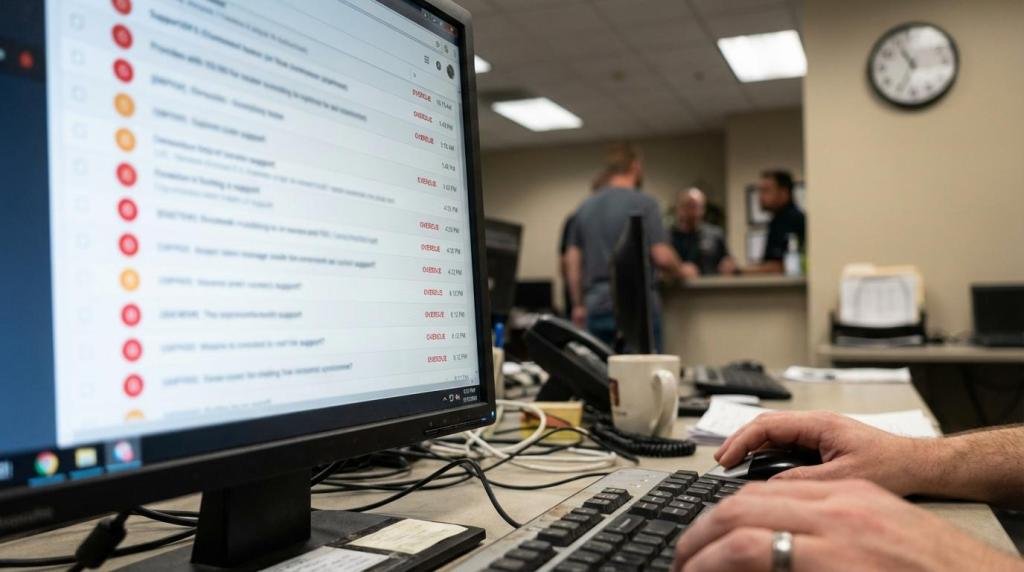
| Ticket backlog grows week over week | Users wait longer, IT is always in react mode | MSP absorbs Tier 1 or overflow queues, internal IT gets time back |
| After-hours work becomes normal | Patch windows, alerts, and “quick fixes” spill into nights | Shared on-call options and 24/7 monitoring reduce surprises |
| One or two people hold “all the keys” | Vacation equals risk, turnover equals crisis | Redundant coverage and shared documentation reduce key-person exposure |
| Projects stall behind support demand | Migrations and refresh cycles slip quarter after quarter | A project team can execute while internal IT steers priorities |
| Security tasks are inconsistent | Alerts untriaged, incomplete patching, unclear audit evidence | SOC-style monitoring, vulnerability management, and reporting become routine |
If you recognize two or three of these at once, co-managed is often less about “more IT” and more about making the IT you already have work the way leadership expects.
When to augment your internal team: common trigger events
Most organizations do not switch to co-managed because of a single bad week. It’s usually triggered by a change event that raises stakes and compresses timelines.
A few examples that hit Sacramento businesses hard:
- An office expansion or new location that multiplies networking, identity, and endpoint work
- A cloud move that requires careful identity, conditional access, and data governance planning
- A security incident, even a near miss, that exposes gaps in monitoring and response
- A compliance deadline for HIPAA, PCI, or customer-driven security questionnaires
- An EMR or EHR rollout where uptime, segmentation, vendor access, and audit trails matter
The key question is not “Can we do this ourselves?” The better question is “Can we do this while keeping support stable and security tight?”
Why co-managed IT often starts with cybersecurity
Internal IT teams are pulled toward visible problems: a down workstation, a Wi-Fi complaint, a new-hire laptop. Security is different. It’s continuous, noisy, and unforgiving. Attackers do not wait for your next maintenance window.
A co-managed model is a clean way to add depth in security without hiring multiple full-time specialists. Many Sacramento organizations want improvements like:
- 24/7 alerting and triage for endpoints, servers, and cloud identity events
- Consistent patching and vulnerability remediation cycles
- Email security tuning and phishing response procedures
- Logged administrative actions and evidence that supports audits
- Tested backup and recovery plans with clear recovery time and recovery point targets
Business PC Support commonly supports co-managed environments with SOC-driven monitoring, layered endpoint and email protections, and incident response planning. For healthcare groups selecting or running an EMR, that security layer is often the difference between “running” and “running safely.”
A single sentence that matters: security work is never “done,” so it needs staffing that is not constantly interrupted.
Common co-managed engagement patterns (what gets shared)
Most co-managed arrangements settle into a few practical shapes. The exact split depends on your internal skills, risk tolerance, and how regulated your environment is.
Teams often start small, then expand scope once the workflow is smooth.
Common starting points include:
- Helpdesk overflow
- After-hours critical support
- Patch management
- Firewall and network oversight
- Backup monitoring and restore testing
- Microsoft 365 administration
Those are all areas where consistency matters more than heroics, and where a partner can bring mature tooling and repeatable process.
How to split responsibilities without stepping on toes
Co-managed succeeds or fails on clarity. Without it, users get bounced between teams, changes happen without visibility, and security controls drift.
The fix is a shared operating model that covers ownership, access, and escalation. It should be written down, reviewed quarterly, and updated when staffing changes.
A simple way to structure the split is to define who owns each layer:
- Business applications (including EMR systems and line-of-business platforms)
- Identity and access (Microsoft Entra ID/Azure AD, MFA, privileged roles)
- Endpoints (standard images, encryption, EDR, patching)
- Network (firewalls, switches, Wi-Fi, segmentation, ISP coordination)
- Data protection (backup, retention, recovery testing)
- Security operations (monitoring, alert triage, incident steps)
After you agree on the layers, the day-to-day rules should be specific enough that a new technician can follow them.
Key rules to document early:
- Ticket flow: who takes Tier 1, who handles escalations, and how users contact support
- Change control: how updates are approved, scheduled, and rolled back if needed
- Admin access: how privileged access is granted, logged, and removed
- Tooling: which RMM, PSA, documentation system, and monitoring stack is the source of truth
- Security events: what counts as an incident, who declares it, and who contacts leadership
That kind of agreement protects internal IT as much as it protects the business. It sets expectations with management and reduces the risk of finger-pointing during an outage.
What Sacramento healthcare and regulated businesses should watch closely
Healthcare groups, dental practices, and clinics around Sacramento and Elk Grove often have a capable IT manager, but not the time or specialist coverage to handle security, vendor management, and compliance evidence at the same time.
EMR environments add extra considerations:
- Vendor remote access needs tight control, logging, and time-based approval
- Networks need segmentation so clinical devices are not exposed to general user traffic
- Downtime planning is not optional, because patient flow depends on systems being available
- Backups must be tested in a way that proves recoverability, not just that jobs “ran”
Co-managed IT can assign clear lanes: internal IT stays close to workflows and staff needs, while the MSP handles monitoring, security operations, and infrastructure engineering that benefits from repeatable patterns.
Picking the right co-managed IT partner in Sacramento
Local presence matters when you need same-day hands for networking, cabling coordination, firewall swaps, or a server issue that cannot be solved remotely. It also matters when you want a partner who is familiar with the kinds of compliance expectations common in the area.
A provider should also be comfortable working with your existing tools and standards. Co-managed is not a forced rebuild. It should feel like adding horsepower, not adding drama.
Questions worth asking in the selection process:
- What will you own on day one: tickets, monitoring, patching, security, projects, or a mix
- Response-time expectations
- How do you handle SOC-style alerting: triage, escalation, and after-hours response steps
- How do you document environments: diagrams, password vault practices, and runbooks
- Experience supporting healthcare and EMR-connected infrastructure
- How do you report results: ticket metrics, patch compliance, security events, and uptime trends
Business PC Support typically structures co-managed agreements with defined scopes, continuous monitoring, and service levels that emphasize rapid response, including a published average response time target of about 15 minutes for support requests in their service model. For many teams, that fast intake alone reduces internal interruptions, since users get help quickly without walking into the IT office.
Getting started without disrupting operations
A good co-managed rollout is closer to onboarding a senior hire than switching vendors. Start with visibility, then add scope.
Many Sacramento teams begin with a short assessment focused on security posture, current ticket metrics, and infrastructure risks. From there, a practical first phase often includes onboarding into monitoring, standardizing patch and backup reporting, and defining escalation paths for incidents.
If you want the co-managed relationship to stay healthy, agree on a small set of shared metrics that both teams review monthly: ticket backlog, time to first response, patch compliance, restore test results, and security alert volumes. When those numbers improve, internal IT gets time back, users see faster support, and leadership sees fewer surprises.

Comments are closed