Consolidate aging physical servers, cut hardware and power costs, and achieve 15-minute disaster recovery. Business PC Support designs, migrates, and manages VMware vSphere, Microsoft Hyper-V, and Azure hybrid server clusters across Greater Sacramento.
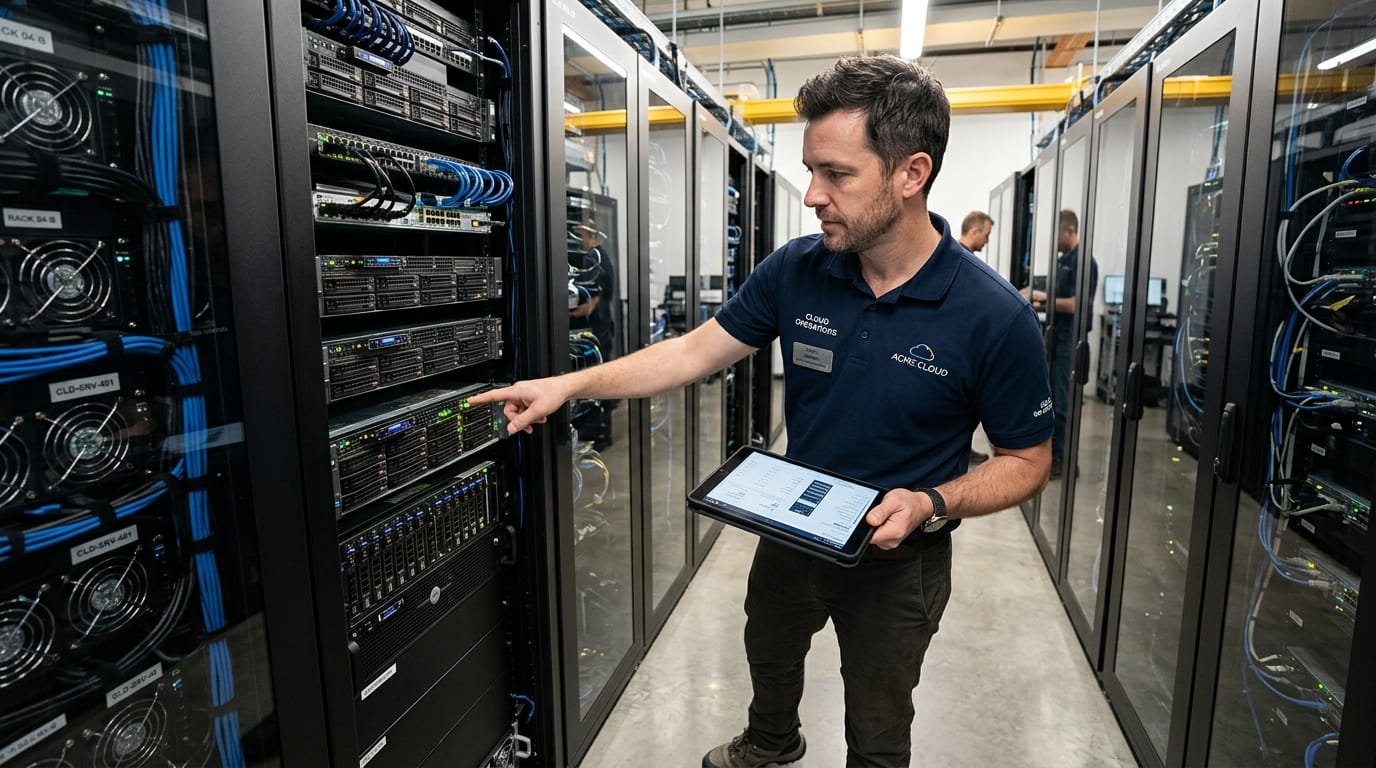
Server virtualization uses a hypervisor layer — such as Microsoft Hyper-V or VMware ESXi/vSphere — to run multiple isolated virtual servers (VMs) on a single high-performance physical host or redundant cluster. Instead of buying, cooling, and maintaining separate physical servers for Active Directory, SQL databases, file shares, and accounting apps, each workload runs independently in its own virtual machine.
For growing Sacramento businesses, virtualization dramatically improves reliability and disaster recovery. Because every virtual machine is stored as portable files, our engineers can snapshot VMs before major software updates, spin up new test servers in minutes, and boot an entire failed server inside our immutable cloud recovery environment within 15 minutes.
Running standalone bare-metal servers or misconfigured virtual hosts creates avoidable bottlenecks and recovery risks.
Bare-metal servers typically use only 10–15% of their CPU and RAM while consuming full rack space, UPS battery capacity, and cooling costs.
When an unvirtualized physical server suffers a motherboard or RAID failure, restoring OS and applications onto replacement hardware can take days of lost productivity.
Improperly sized virtual machines starve SQL databases or EHR workloads of disk I/O and RAM, causing sluggish performance across the whole office.
Leaving old VM checkpoints running indefinitely or keeping backups on the same physical host as your VMs puts all workloads at risk during hardware failure or ransomware.
We engineer balanced compute, NVMe storage, and immutable backup layers tailored to your applications.
Replace 3–5 aging tower or rack servers with a clean, redundant virtual host architecture that slashes hardware and power costs.
Take instant pre-upgrade checkpoints and boot full virtual servers from immutable backups in minutes if hardware fails.
Separate domain controllers, financial databases, remote desktop hosts, and third-party vendor apps into isolated VMs.
Convert legacy physical servers into clean virtual machines over a weekend with zero data loss or staff disruption.
Bridge on-premise Hyper-V or VMware clusters seamlessly with Microsoft Azure Virtual Machines and Entra ID.
Continuous telemetry on host CPU, RAM, NVMe/SAS RAID health, UPS batteries, and guest VM performance.
Compare operational agility, hardware efficiency, and disaster recovery speed.
| Capability | Standalone Physical Servers | BPS Virtualized Infrastructure |
|---|---|---|
| Disaster Recovery (RTO) | Hours or days waiting for matching hardware | Minutes via instant VM boot on standby/cloud host |
| Hardware Efficiency | 10–15% average CPU/RAM utilization | 65–80% consolidated efficiency with lower power/cooling |
| Software Upgrades | Risky in-place updates on live OS | Instant VM snapshot rollback before every major change |
| Scalability | Buy and rack a new physical box for each app | Provision a new isolated VM in under 30 minutes |
| Monitoring & Support | Reactive troubleshooting after crashes | 24/7 host/VM telemetry + 15-min SLA local engineering |
We size, stage, and migrate your server workloads with zero unplanned downtime.
Profile CPU, RAM, IOPS, and storage growth across your current servers and line-of-business apps.
Select right-sized Dell/HPE enterprise hosts, redundant NVMe storage, UPS power, and Hyper-V/VMware licensing.
Migrate physical workloads into clean virtual machines over a scheduled weekend window with full verification.
Monitor host health 24/7 and run automated daily test boots of every VM backup.
Both are proven enterprise hypervisors. For most 15–150 user SMBs already licensed on Windows Server, Hyper-V delivers lower licensing overhead and seamless backup integration, while VMware fits specialized multi-host clusters.
Yes. Through Physical-to-Virtual (P2V) conversion, we can capture your existing server OS, SQL databases, and line-of-business apps and migrate them cleanly onto new virtual hardware.
Virtual machines are hardware-independent. If a physical server fails, we can boot your exact VM images onto a standby host or in our secure cloud recovery environment in minutes.
Depending on CPU cores, RAM, and NVMe storage IOPS, a single modern enterprise host comfortably runs 4 to 12+ business VMs without performance contention.
Yes. Virtualized Hyper-V and VMware workloads replicate cleanly into Microsoft Azure or hybrid cloud setups whenever your business is ready to retire on-premise hardware.
Yes. Our Sacramento engineers provide 24/7 RMM monitoring, scheduled after-hours patching, immutable backups, and local on-site hardware support.
Schedule a complimentary server sizing and virtualization review with our Sacramento engineers.