
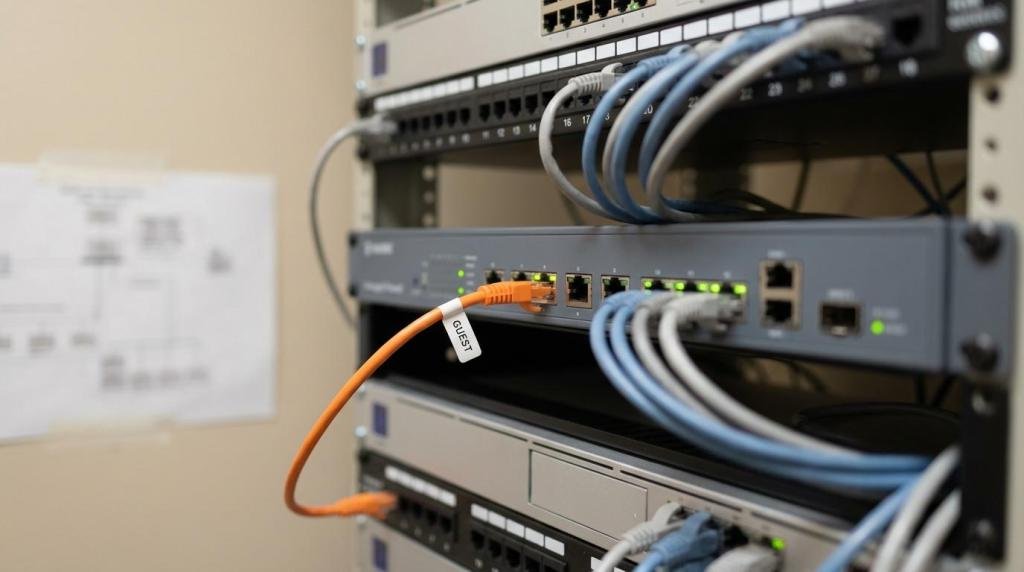
How to Implement Guest Wi-Fi Segmentation in Medical Offices
A medical office guest Wi-Fi sounds simple: give patients and visitors internet access while they wait. The risk is that “simple” networks often end up sharing switches, subnets, or firewall rules with systems that matter, like EHR workstations, imaging, VoIP, or medical devices.
Guest Wi-Fi segmentation is the practical step that keeps a visitor’s phone from ever seeing the same network as PHI systems. Done well, it reduces breach exposure, limits outages caused by heavy guest traffic, and makes HIPAA documentation easier because the boundaries are clear.
Why guest Wi-Fi is a healthcare security control
In a clinic, “guest” does not only mean friendly. It means unmanaged devices, unknown patch levels, and a high chance of risky apps, adware, or infected phones. If those devices can reach internal IP space, even by mistake, you have created a path toward systems that store or touch ePHI.
Segmentation supports HIPAA’s technical safeguards by enforcing access control and limiting transmission pathways. It also matches what auditors and risk assessments expect to see: a design where patient and visitor traffic is isolated from clinical operations, not just protected by a shared password.
If you are in the Sacramento area, this is also a reliability issue. Busy waiting rooms, family members streaming, and multiple devices per person can overwhelm small networks. Keeping guest traffic in its own lane, with bandwidth limits, helps clinical workflows stay responsive.
What “segmented” really means
Segmentation is not just “a different Wi-Fi name.” It is a set of controls that prevent traffic from crossing from guest to internal networks unless you explicitly allow it. That boundary is typically enforced by VLANs plus firewall rules, and sometimes a DMZ-style guest anchor.
Here is a quick way to compare common designs:
| Design approach | How it isolates guests | Pros | Tradeoffs | Good fit for |
|---|---|---|---|---|
| Guest SSID mapped to a dedicated VLAN | Guests get IPs in a guest subnet; firewall blocks access to internal subnets | Clean, standard, scalable | Needs correct switch tagging and firewall policy | Most small and mid-sized practices |
| Guest “anchor” or DMZ breakout | Guest traffic tunnels to an isolated interface/firewall before internet | Strong separation, consistent policy across sites | More complexity; depends on controller/firewall capabilities | Multi-site groups, larger offices |
| Separate internet circuit for guest | Guests use a different ISP/router from production | Very strong isolation | Extra monthly cost; more equipment to manage | High-risk environments, large waiting rooms |
A well-segmented guest Wi-Fi should behave like a coffee shop network: it can reach the internet, and it cannot reach your servers, printers, EHR, imaging, or medical device segments.
A practical reference architecture for medical offices
Start with a simple mental model: three wireless “classes” of users and devices. Staff devices that access PHI should use enterprise authentication (802.1X) and land in staff VLANs. Medical and IoT devices should be in their own restricted VLANs. Guests should be isolated, rate-limited, and blocked from lateral movement.
That design can be implemented with common platforms like Cisco, Aruba, Meraki, Fortinet, or similar stacks, using an AP or controller to map SSIDs to VLANs and a firewall to enforce policy between VLANs. In many clinics, the firewall is the single most important enforcement point because it is where “deny guest to LAN” actually becomes real.
To keep the architecture easy to manage, build it around a small set of repeating objects: VLANs/subnets, SSIDs, DHCP scopes, and firewall address groups for “internal networks” and “guest networks.”
After you have that foundation, these components usually make the biggest difference:
- Guest SSID and VLAN: One SSID mapped to one guest VLAN with its own DHCP scope.
- Firewall inter-VLAN controls: Default deny from guest VLAN to all internal RFC1918 ranges, with only required exceptions.
- Client isolation on the SSID: Prevent guest devices from talking to each other on the same Wi-Fi.
- DNS filtering: Block known malicious domains and reduce risky categories when appropriate.
- QoS and rate limits: Keep clinical traffic prioritized and cap per-device guest bandwidth.
Captive portals that respect patients and privacy
A captive portal is often the best balance for a medical office: it is familiar to visitors, keeps the Wi-Fi “open” enough to avoid sharing passwords, and creates a lightweight audit trail when paired with logs.
The portal should collect minimal information. If you use SMS one-time codes, make sure the process is clearly explained and optional when feasible. Many practices choose voucher codes printed at check-in, which avoids collecting phone numbers while still limiting session length.
Portals are also a good place for acceptable-use terms. Keep it plain: the network is for internet access, no illegal use, and no expectation of privacy. If you operate public guest Wi-Fi, confirm the portal uses HTTPS and that the controller/gateway is fully patched.
After setting the portal, define a few policies that match clinic flow:
- Time-limited sessions (4 to 8 hours)
- Per-device bandwidth caps
- Block peer-to-peer protocols
- Content filtering tuned for a healthcare waiting room
Firewall rules that block PHI access without breaking operations
Segmentation fails most often at the firewall. A guest VLAN can exist, yet still have a route into internal networks because of broad “allow any” rules, mistaken NAT policies, or a flat network design.
A solid baseline is:
- Allow guest VLAN to the internet (NAT outbound).
- Allow guest VLAN to required infrastructure only, typically DNS and DHCP.
- Deny guest VLAN to every internal subnet, including staff, servers, and medical devices.
- Deny guest VLAN to management interfaces for network gear.
Be careful with “helpful” exceptions. Printing is the classic trap. Patients should not need to print to internal printers. Staff should not rely on the guest SSID for business printing. If you must support a special case (like patient education kiosks), treat it as a separate “kiosk” role with its own restrictions, not as a guest exception that opens internal access.
If your EHR is cloud-based, that does not remove the need for segmentation. Workstations still hold credentials, browser sessions, cached files, and sometimes local integrations. Keeping guests off the same network reduces the chance of credential theft, scanning, or opportunistic attacks.
Monitoring and audit evidence for HIPAA reviews
Guest Wi-Fi should be part of your HIPAA security program, not an afterthought. That means logging, retention, and routine checks that show your controls stayed in place.
At a minimum, keep logs for these sources: firewall, wireless controller or AP platform, DHCP, and authentication system (even if guest uses a portal instead of 802.1X). Centralizing logs into a SIEM helps with alerting and retention, and it is a natural fit for a SOC-backed managed IT model.
Wireless monitoring matters too. Rogue access points, evil-twin SSIDs, and misconfigured APs can undermine segmentation. Many business-grade wireless systems include scanning features that can detect suspicious radios, repeated deauth activity, or unauthorized SSIDs.
From a documentation standpoint, keep your network map current. Risk assessments and proposed HIPAA rule updates have increasingly emphasized inventory and segmentation as “reasonable” safeguards. A simple diagram that shows guest VLAN boundaries, firewall enforcement points, and the lack of routes to ePHI networks goes a long way during compliance conversations.
Common segmentation failures seen in small clinics
Many issues are not exotic attacks. They are wiring closet mistakes, inherited settings, or “temporary” changes made during an outage that never got reversed.
Watch for patterns like these:
- Flat networks: One subnet for everything, with a guest SSID that only “looks separate.”
- Shared admin credentials: The same login across firewall, switches, and APs.
- Over-permissive rules: Guest VLAN allowed to “any” internal services for convenience.
- Consumer gear: Home routers or mesh systems installed to “fix Wi-Fi” without security controls.
- No firmware lifecycle: APs and firewalls past support dates, missing security fixes.
A short quarterly validation can catch most of this: connect to the guest SSID and confirm you cannot reach internal IPs, cannot see printers, and cannot access management pages.
A rollout checklist that works in a live medical office
Most practices cannot shut down for a full redesign. A staged approach reduces disruption: build the guest VLAN and SSID, enforce firewall policy, then refine the portal and monitoring.
Use a checklist that operations and IT can both follow:
- Confirm internal subnets and VLANs, including medical devices and voice.
- Create a dedicated guest VLAN and DHCP scope.
- Map the guest SSID to that VLAN in the controller/dashboard.
- Apply firewall rules: internet allowed, internal denied, management denied.
- Enable client isolation and rate limits on the guest SSID.
- Turn on captive portal and terms, test with iOS and Android.
- Send logs to central logging/SIEM and verify alerts for policy violations.
- Document the diagram, configs, and a simple test procedure for staff.
Even in smaller Sacramento-area offices, this is very achievable with modern firewalls and managed wireless, and it usually pays off quickly in fewer Wi-Fi complaints and less security exposure.
When it makes sense to bring in managed support
Guest Wi-Fi segmentation touches switching, wireless, firewall policy, and compliance documentation. If any one of those pieces is fragile, the design can look correct while still allowing access paths you did not intend.
A managed IT partner with security monitoring can help verify segmentation with repeatable tests, keep firmware current, and watch for rogue APs or suspicious guest behavior. For healthcare organizations, it also helps to work with a team that is used to EMR environments and secure integrations, since Wi-Fi design decisions often affect clinical workflows in surprising ways.
Business PC Support works with Sacramento-area small and mid-sized organizations, with a strong focus on healthcare security and SOC-led monitoring, so guest Wi-Fi can remain truly “guest” while staff and systems stay protected.

Comments are closed