
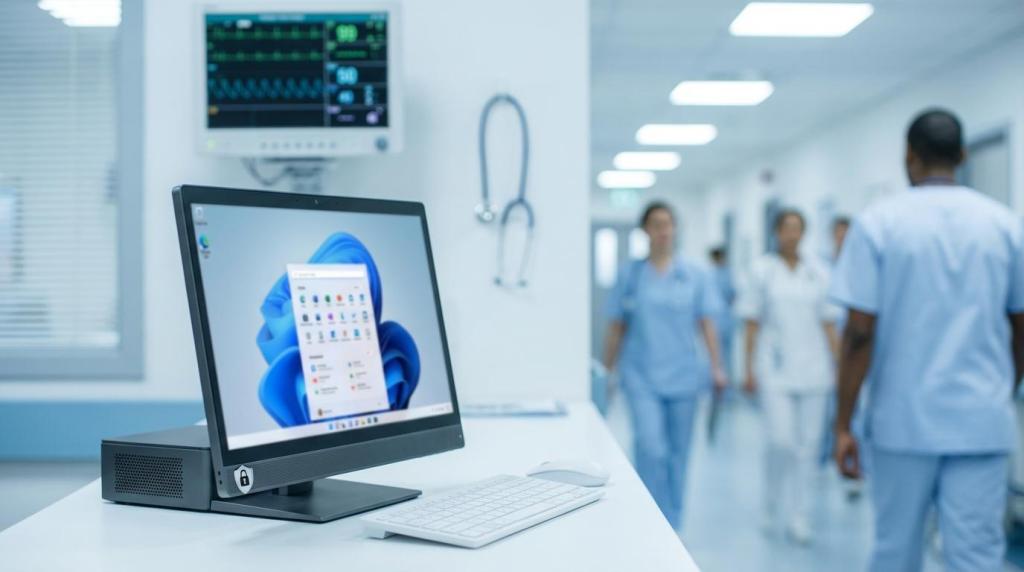
Endpoint Hardening for Healthcare: CIS Benchmarks That Matter for Windows 11
Healthcare organizations rarely get to treat endpoints as “just PCs.” A Windows 11 workstation in a clinic might be the place where prescriptions are printed, lab results are reviewed, prior authorizations are submitted, and patient charts are updated. When that endpoint is misconfigured, the impact can move fast from a security alert to delayed care.
The Center for Internet Security CIS Benchmarks give healthcare IT teams a practical way to standardize Windows 11 hardening. They are prescriptive configuration baselines that reduce attack surface, improve audit readiness, and make security settings repeatable across many devices, even when you have a mix of clinical users, administrative staff, and shared workstations.
Why CIS Benchmarks fit healthcare endpoint risk
Healthcare endpoints attract the same threats every other industry faces, plus a few that show up more often in clinical settings: shared devices, fast user switching, third-party clinical applications, and connected equipment that cannot tolerate unexpected changes.
A CIS-based baseline helps by converting “secure endpoints” from a goal into a checklist of enforceable controls. It also provides a common language between security, IT operations, compliance, and leadership when discussing why a setting is on, off, or granted an exception.
After you map endpoint risk to real workflows, the priorities tend to look like this:
- Ransomware entry points
- Credential theft and lateral movement
- Lost or stolen devices with local data
- Weak audit trails during investigations
- Accidental data exposure through sync and sharing features
Level 1 vs Level 2: choosing a baseline without breaking clinical workflows
CIS Benchmarks are published with two primary profiles. Level 1 is designed to be a solid security baseline with minimal disruption. Level 2 is stricter and better suited for high-risk systems, but it can create compatibility issues if applied everywhere without testing.
In healthcare, a common approach is: start with Level 1 for the broad fleet, then selectively apply Level 2 to roles that handle more sensitive data or face higher exposure. This avoids the all-or-nothing rollout that can interrupt care delivery.
A useful way to think about it is “safety rails first, locks second.” Get consistent patching, encryption, and credential protections in place across all endpoints, then tighten advanced restrictions where the clinical software stack can support it.
Windows 11 settings that carry the most security weight
Many CIS items are worthwhile, but a smaller set tends to drive the biggest reduction in real-world incident risk. In Windows 11, several of those high-impact controls are also tied to hardware-backed security capabilities that are now common in business-class endpoints.
Start by focusing on areas that cut off the most common attack paths:
- Patching and system integrity: Automatic updates and timely installation windows reduce exposure to known exploited vulnerabilities.
- Disk and boot protections: BitLocker and UEFI Secure Boot help protect ePHI at rest and reduce tampering at startup.
- Credential protections: Credential Guard, protected LSASS, and disabling legacy authentication reduce the chances that one compromised workstation turns into a domain-wide event.
When teams need a practical “what should we enforce first” list, these CIS-aligned items usually rise to the top:
- Patch discipline: Enforce update policies, maintenance windows, and reboot expectations for clinical areas.
- BitLocker: Encrypt OS and fixed drives, and confirm recovery key escrow is in place.
- VBS protections: Enable virtualization-based security features where hardware and drivers support it.
- Local admin controls: Reduce standing admin rights and rotate local admin passwords using LAPS.
- Legacy auth shutdown: Disable WDigest and other settings that increase credential exposure.
Even within a single facility, it often makes sense to apply different enforcement levels to different endpoint groups. Imaging workstations, nursing stations, call center desktops, and back-office laptops do not share the same risk profile or downtime tolerance.
Logging and audit evidence that stands up in HIPAA reviews
HIPAA’s Security Rule calls for audit controls, and in practice that means you need logs that can answer basic questions quickly: who accessed a system, what failed, what changed, and when.
CIS guidance pushes Windows event logging toward higher retention and more complete auditing. That supports security monitoring, incident response, and compliance reviews without having to scramble for evidence after the fact.
Good endpoint audit posture is not only “turn on logging.” It also includes sizing logs so they do not overwrite too quickly, standardizing advanced audit policy categories, and forwarding events to a central platform where they can be monitored and retained.
A Windows 11 endpoint can generate a lot of telemetry, so plan for intentional collection. Capture what matters, verify it is arriving, and confirm it is searchable when you need it.
Network hardening: reduce ransomware paths without blocking care delivery
Many ransomware incidents still start with reachable services, weak remote access patterns, or internal movement that is too easy once a foothold exists. CIS network-related settings are designed to limit those conditions.
Windows Defender Firewall should be enabled and enforced for Domain and Private profiles, with inbound traffic blocked by default unless a clinical workflow truly requires it. Remote access controls should be equally disciplined: RDP should be limited to secured paths, with Network Level Authentication and access restricted by network location and user group.
Windows 11 CIS guidance also addresses newer privacy and security areas, including encrypted DNS options like DNS over HTTPS (DoH), where appropriate for the organization’s DNS design and monitoring requirements.
A practical mapping: Windows 11 CIS hardening to healthcare outcomes
The value of CIS in healthcare is clearest when each control is tied to an operational or compliance outcome. The table below shows a simple way to explain the “why” behind common Windows 11 CIS categories.
| Windows 11 CIS category | Example control focus | Why healthcare teams care |
|---|---|---|
| System integrity | Automatic Updates, Secure Boot, code integrity protections | Reduces exposure to known vulnerabilities and startup tampering that can lead to widespread outages |
| Data protection | BitLocker for OS and fixed drives | Protects ePHI on lost or stolen endpoints and supports documented encryption practices |
| Access control | Least privilege, LAPS, account lockout thresholds | Limits credential abuse and reduces lateral movement risk inside the network |
| Audit and logging | Advanced audit policies, larger log sizes, retention practices | Improves investigation speed and supports audit control expectations |
| Network security | Firewall enforcement, disabling legacy services like SMBv1 | Shrinks attack surface and reduces common ransomware propagation paths |
This mapping also helps when a clinical stakeholder asks why a setting changed. You can point to the risk it addresses and the control objective it supports, rather than treating it as “security said so.”
Handling legacy apps and connected medical devices
Healthcare IT teams often face a difficult reality: some clinical applications and connected devices depend on older drivers, special local permissions, or unusual network ports. Windows 11 raises the baseline with stronger hardware-backed security, but not every vendor stack is ready for every strict setting.
This is where CIS is helpful because it supports a structured exception process. Instead of weakening every endpoint, you can tailor policies by device role, document the exception, and apply compensating controls.
A workable pattern is to treat exceptions as engineering work, not as permanent policy holes. You test the clinical workflow, identify the exact setting that breaks it, carve out the minimum exception needed, and then reduce the resulting risk with isolation, monitoring, and tighter controls elsewhere.
A lot of exceptions fall into a small number of buckets:
- Driver compatibility: Some legacy drivers may not behave well with HVCI or other VBS protections.
- Service dependencies: A vendor agent may require a service that is normally disabled in a hardened build.
- Network communication: A device may need a port opened to a known server, best handled through scoped firewall rules and segmentation.
Deployment pattern for Sacramento-area healthcare teams
For organizations in Sacramento and nearby communities like Elk Grove, many environments are hybrid: some systems on premises, some SaaS-based, some line-of-business applications hosted in a private cloud, and a wide variety of endpoint ownership models.
CIS hardening is easiest to maintain when it is deployed through the tools you already use to manage endpoints. Common options include Group Policy for domain-joined devices, Microsoft Intune for MDM-managed fleets, and scripted configuration for specialized builds. The key is consistency and drift control, not a one-time hardening project.
A staged rollout tends to reduce disruption:
- Build a small pilot group that reflects real clinical workflows.
- Apply CIS Level 1 broadly, then validate business and EMR functions.
- Add Level 2 controls to higher-risk roles after vendor compatibility checks.
- Convert the final baseline into a standard image or standard configuration profile.
Business PC Support often sees the best results when security hardening is paired with ongoing monitoring, since healthcare endpoints change constantly: new applications, new printers, new device integrations, and new updates.
Keeping endpoints compliant over time (and proving it)
Hardening is not a finish line. Without ongoing verification, endpoints drift. A local admin makes a “temporary” change, a software install adjusts firewall rules, or a troubleshooting step disables a protection and never gets reversed.
Continuous assessment tools, including CIS-CAT-style benchmark checks and endpoint management compliance reporting, help teams spot drift early and fix it before it turns into an incident or an audit scramble. Central log forwarding into a SIEM, ideally with SOC-driven monitoring, turns endpoint configuration from paperwork into detection capability.
When you treat CIS as a living baseline, you also gain cleaner documentation: what is enforced, where exceptions exist, who approved them, and what monitoring is in place. That documentation matters during HIPAA risk reviews and during real incident response, when time and clarity are in short supply.
If you are planning a Windows 11 refresh, rolling out a new EMR workflow, or tightening endpoint security after a risk assessment, a CIS benchmark gap review and a pilot-based rollout plan can provide a clear, low-drama path to a more defensible endpoint posture.
Comments are closed